
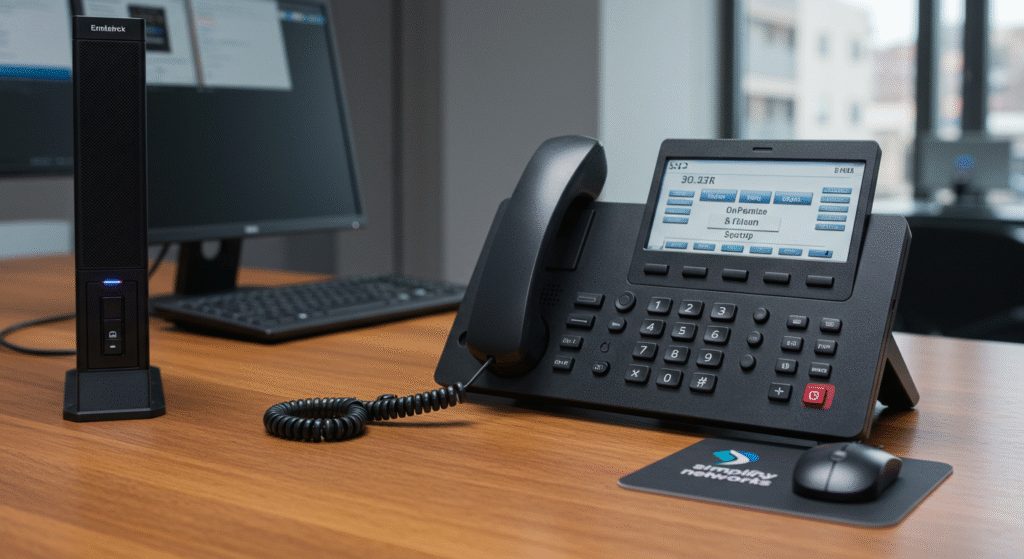
For most dental practices the phone is still the front door. New patients ring to register, existing patients ring to book, move or cancel appointments, and anyone in pain wants to speak to someone now. If the line is busy or rings out, that caller often tries the next practice on the list. Choosing the right phone system for dental practices is less about gadgets and more about making sure every call is answered, routed or followed up.
This guide covers what a modern hosted phone system does for a practice, which features matter most, how call recording fits with UK GDPR, what it costs and why the timing matters with the landline switch-off coming.
Why the phone system matters so much for a dental practice
Reception teams juggle patients at the desk, payments and the phone at the same time. Calls also bunch up: first thing in the morning, at lunchtime and straight after the practice reopens. An old line with a couple of handsets simply can’t cope with that pattern, so callers hear an engaged tone or ring out.
A hosted (cloud) phone system fixes the basics. Calls arrive over your internet connection, wait in a queue instead of hearing engaged, and can ring on several phones, a computer or a mobile app. You manage it all from a web portal rather than calling an engineer every time something changes. If you want the background, our page on hosted PBX phone systems explains how it works.
Features to look for in a dental practice phone system
Call queues instead of engaged tones
When reception is busy, callers wait in a queue with a short message or hold music, then go to the next free person. You can see how many people are waiting, which helps you decide when to pull in another member of staff.
An auto attendant (IVR) to route calls
A simple menu such as “Press 1 to book or change an appointment, press 2 if you are in pain or need urgent advice, press 3 for anything else” sends callers to the right person straight away. Keep it short: two or three options is plenty for most practices.
Opening hours and out-of-hours messages
The system can switch automatically between day, lunch and evening settings. Outside opening hours callers can hear your out-of-hours message, including where to get urgent help, and leave a voicemail that is emailed to the team.
Call recording
Recording helps with training, resolving disputes about what was said and checking the quality of advice given over the phone. It needs to be set up carefully, which we cover below.
Multi-site and remote working
If you run more than one site, all practices can share one system: transfer calls between sites, cover each other’s phones when one reception is short-staffed and report on everything in one place. Practice managers can also take calls on a mobile with an Android or iOS app, showing the practice number rather than their personal one.
SMS and Microsoft Teams
Business User licences include SMS, so staff can send and receive texts from the practice number, and integrate with Microsoft Teams if your team already uses it. For a wider look at what changes when you leave a traditional line, see business phone system features you get when you leave your landline.
Call recording and GDPR for dental practices
Recordings of patient calls are personal data under UK GDPR and the Data Protection Act 2018, and dental calls often include health details, which are treated as special category data. That doesn’t stop you recording, but it does mean you should:
- Tell callers. Play a short message at the start of the call and explain recording in your privacy notice.
- Know why you record. Decide your purposes (training, quality, record keeping) and your lawful basis, and write them down.
- Set a retention period. Keep recordings only as long as you need them, then delete them automatically.
- Limit access. Only people who need recordings should be able to play or download them.
- Avoid recording card details. Pause recording or take payments another way so card numbers are not stored.
This is general information rather than legal advice. Your data protection lead or adviser should confirm the right approach for your practice.
The landline switch-off: why timing matters
Openreach has confirmed that the old analogue telephone network (PSTN) is due to close on 31 January 2027. Practices still on traditional lines or an ageing on-site phone system need to move to a digital service before then. Don’t forget the other equipment that uses the phone line, such as card machines, alarms and lift lines; our post on whether your alarm and card machine will work after the switch-off explains what to check.
Moving now, rather than in January, gives you time to test everything outside a busy period. Our PSTN switch-off page covers the details, and we offer a free switch-off check.
Keeping your practice phone number
Patients know your number, and it’s printed on your website, signage and appointment cards, so you’ll want to keep it. Existing numbers can usually be moved (ported) to a hosted system, and we do the number transfer free of charge. We can also bring across your current menus and handsets where they’re compatible as part of a phone system migration.
How much does a dental practice phone system cost?
Hosted systems are priced per user per month. Our plans start from £14.99 per user per month:
- Basic User, £14.99: a desk phone with all the phone system features, ideal for reception desks and surgeries.
- Business User, £19.99: desktop, mobile and web softphone, SMS, voicemail, call transfer, chat and Microsoft Teams integration, ideal for practice managers and staff who move around.
- Call centre agent, £29.99: for larger groups with a central booking team.
There is an installation and setup fee, which depends on the number of users, handsets and sites, so we’ll quote it clearly up front. Many practices mix licences, for example Basic User for each surgery and the front desk, and Business User for the practice manager.
Questions to ask before you choose
- Can callers queue rather than hear an engaged tone?
- Can we change opening hours and messages ourselves?
- Is call recording included, and can we set retention periods?
- Can we keep our existing numbers?
- Will it work across all our sites and on staff mobiles?
- Who sets it up, and is there an engineer who can visit if needed?
Our engineers work across England, Scotland and Wales, so we can help single-site and multi-site practices alike. Care providers face similar challenges, and our care provider phone system case study shows how a hosted system works in a busy, people-first setting.
New customers who sign up by 31 October 2026 get 50% off their first month’s per-user charges.
Find the right phone system for your dental practice
Tell us how your practice handles calls and we’ll recommend a setup that stops patients ringing out. New customers who sign up by 31 October 2026 get 50% off their first month.